What if RVS AI training fails?
Reasons and solutions
Common RVS training failures and solutions are summarized as follows:
1. Please check whether the NIVDIA independent graphics card works properly.
2. “CUDA out of memory” is displayed.
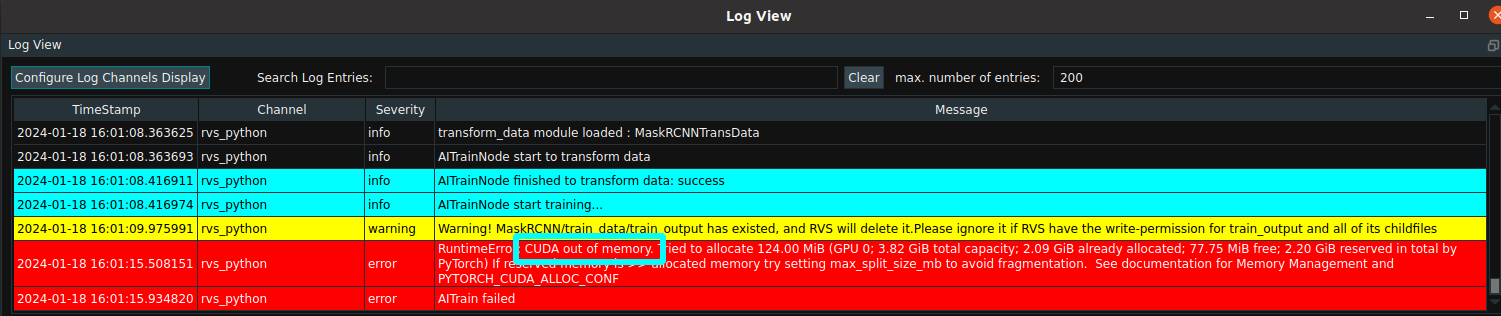
Solution:
You can adjust the operator parameters to lower batch_size or img_size.
3. The initial training requires the Internet to download the pre-training weight file, which may be caused by a network anomaly.
Solution:
The following checks can be performed: In Linux, search for the model_final_f10217.pkl.lock file in the root directory (in Windows, search for the file in the C directory) and check whether the model_final_f10217.pkl file exists in the directory where the file resides. If you do not have the model_final_f10217.pkl file, you can find the model_final_f10217.pkl file from the rvs_sdk folder in the RVS installation directory. Copy this file to the directory where the model_final_f10217.pkl.lock file resides. Just train again.