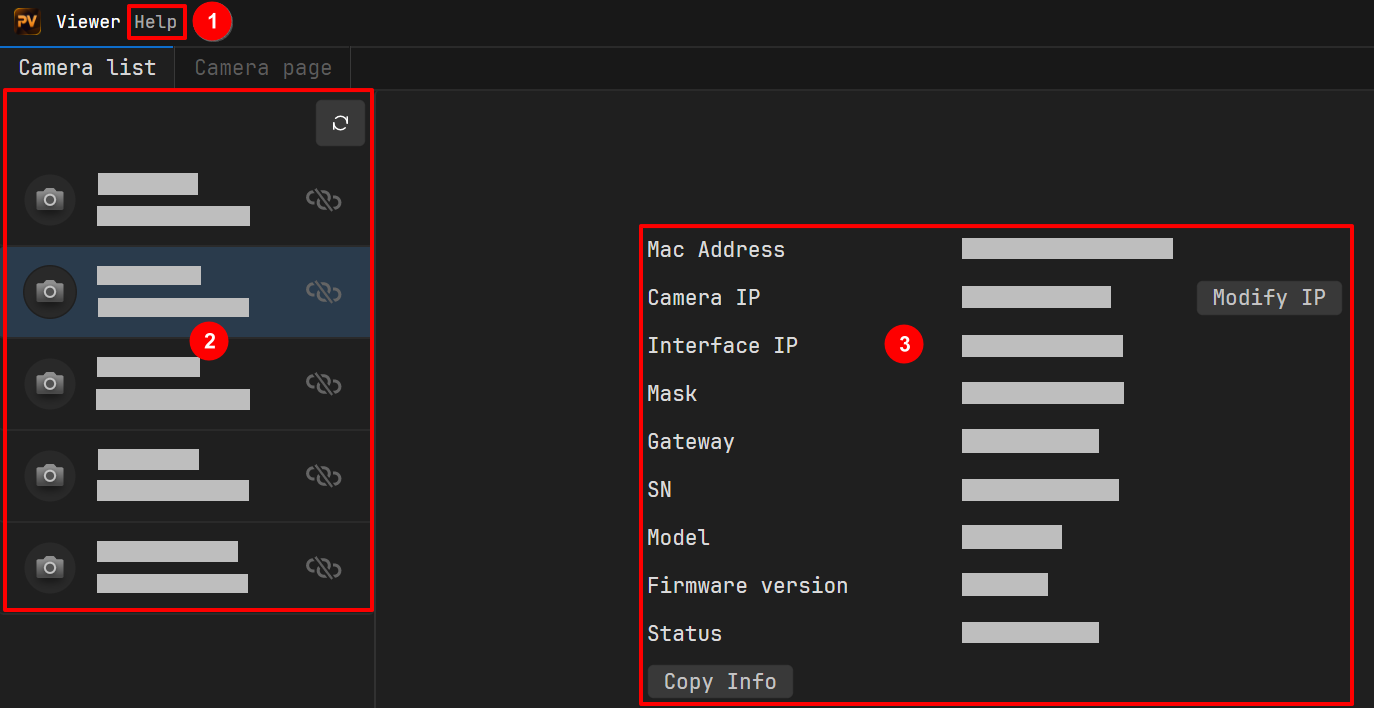
Help: Click About to view software version information and license agreement.
Language: Select the software interface language. Chinese, English, and Japanese are supported. A restart is required for the change to take effect.
2
Camera List Area
: Click to refresh the camera list.
Camera Status:
: Camera is connectable. The button appears on the right side of this list row. If no other camera is connected, click to connect. If another camera is already connected, please disconnect it first.
: Camera is connected. The button appears on the right side of this list row. Click to disconnect the current camera.
: Camera error.
: Camera busy. Camera is in use by another process.
Camera Model
Camera Serial Number
/ : Click to connect/disconnect the camera.
Cameranotfound?: Click to launch the camera connection troubleshooting wizard, which guides you through connection issue diagnosis step by step.
3
Camera Information Area
MAC Address: Camera MAC address
IP Address/Subnet Mask/Gateway: Camera IP information
Interface Address: Host (computer) network port IP address
Displays the model and serial number of the currently connected camera. Click the icon to disconnect the camera.
2
Parameter Configuration Area
Operation Mode: Enable/Disable data streams, set the capture mode, change the parameter set loaded on camera power-up, load the parameter sets, save the parameter sets.
Basic: Set resolution for color and depth images, set the depth image analysis type, set whether distortion correction is enabled for color/left/right images, set exposure, gain and related parameters for color/left/right images, set light source brightness.
Advanced: View all camera parameters and set all parameters except image resolution, user set configuration, and post-processing.
Post-Processing: Set image post-processing parameters.
Image capture control: to start image capture, to stop image capture.
Image saving: to start saving image data, to enter the Image Save Settings page and configure save settings.
Image display toggle: color image, depth image, left grayscale image, right grayscale image, point cloud, image alignment (requires both depth and color data streams enabled).
Image display area: Displays the captured images in real time. Supports displaying up to two views simultaneously.
 : Click to refresh the camera list.
 : Camera is connectable. The
  : Camera is connected. The
  button appears on the right side of this list row. Click to disconnect the current camera.
 : Camera error.
 : Camera busy. Camera is in use by another process.
 to connect a camera in the Camera List, the interface automatically jumps to the Camera Page.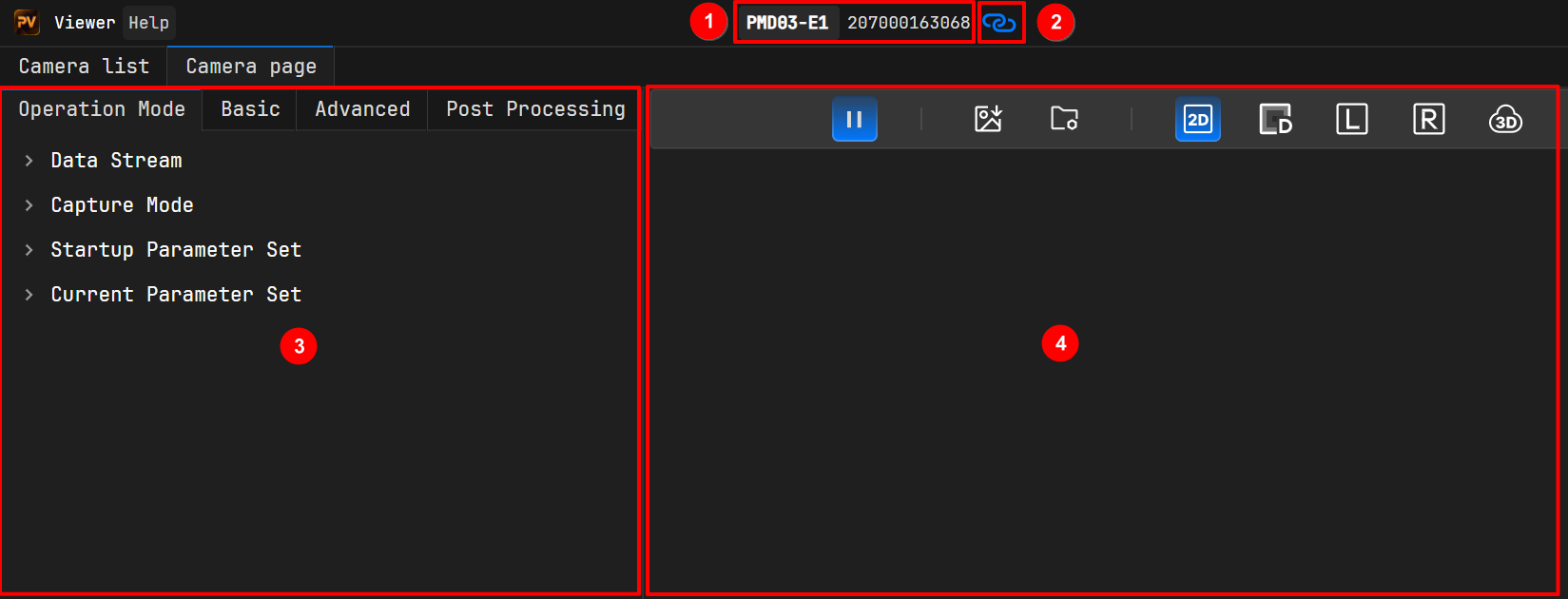
 to start image capture,
  to stop image capture.
 to start saving image data,
  to enter the Image Save Settings page and configure save settings.
 color image,
  depth image,
  left grayscale image,
  right grayscale image,
  point cloud,
  image alignment (requires both depth and color data streams enabled).