FAQ
The software installation process is interrupted, and the installation wizard is stuck at the Preparing to Install page?
Problem Description
The software installation process is interrupted, and the installation wizard is stuck at the Preparing to Install page.
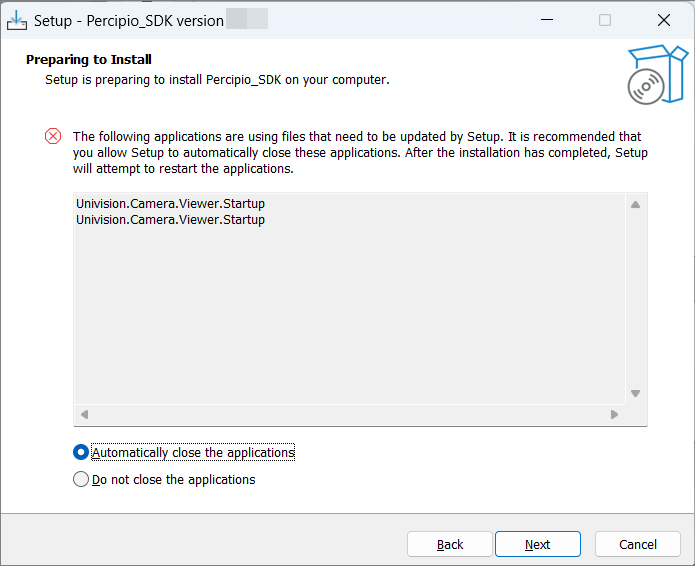
Software Installation: Got Stuck as Preparing to Install page
Solution
Open Task Manager, search for “Percipio-Viewer” in the Processes tab, and manually end any found processes.
The software installation is interrupted and prompts that the existing file cannot be replaced?
Problem Description
The software installation/operation is interrupted, and the installation wizard displays “An error occurred while trying to replace the existing file: DeleteFile failed; code 5”.
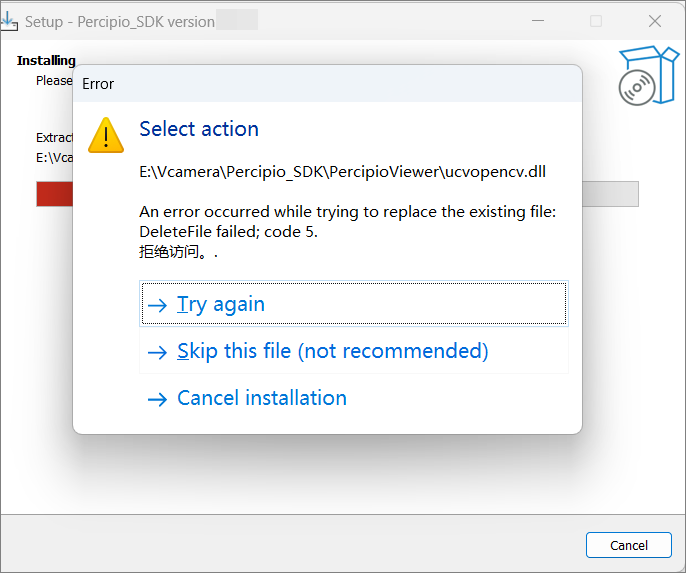
Software Installation: File Replacing Error
Solution
Close the installation wizard, restart your computer, and wait for the system to fully start. Then run the installer again.
The Windows firewall is disabled, but the software still cannot be opened?
Problem Description
The Windows firewall is disabled, but the Viewer software still fails to start normally.
Solution
Open Windows Security Center.
Click the “App and Browser Control” tab on the left.
Click “Smart App Control Settings” and switch it to “Off”.
Restart the Viewer software.