C# (Windows)
示例程序简介
C# 示例程序位于 VcameraSDK-X.X.X/csharp/net48/example,包含:
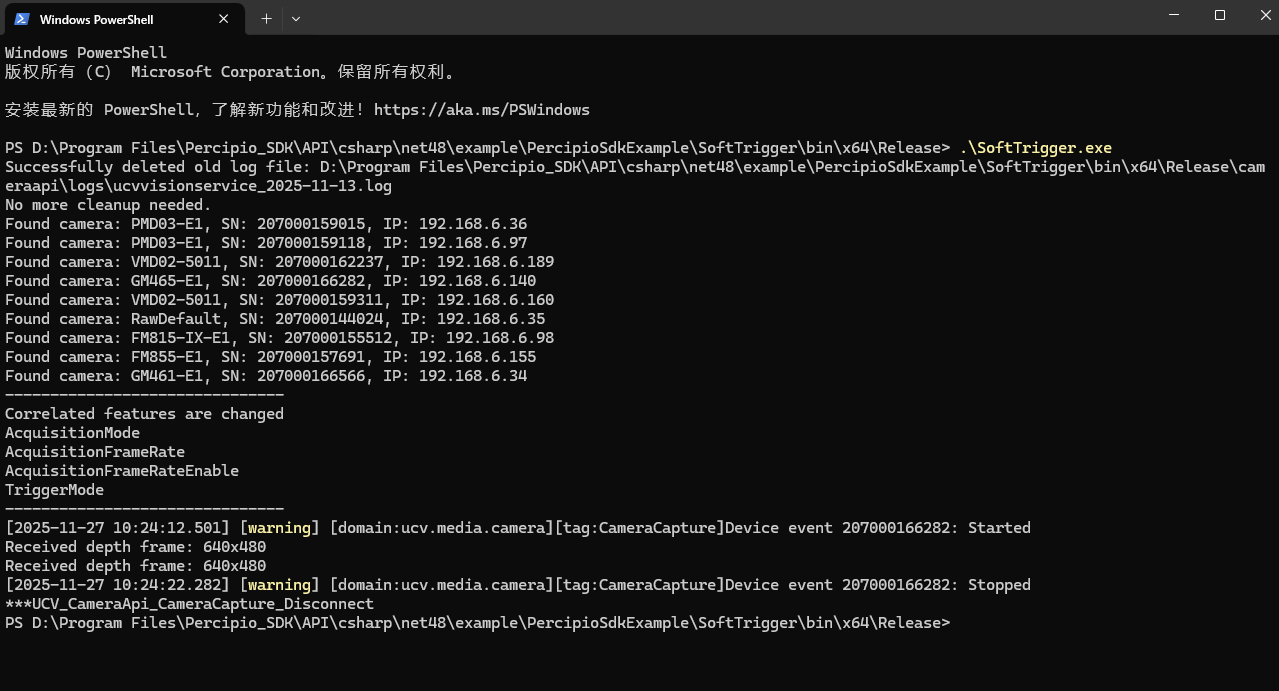
DepthToPointCloud/Program.cs:设置相机工作在连续采集模式下,将深度图实时转换为点云数据。ImageRegistration/Program.cs:设置相机工作在软触发模式,将输出的深度图与彩色图对齐。DumpAllFeatures/Program.cs:列举当前相机支持的属性。FetchFrameContinuous/Program.cs:设置相机工作在自由采集模式下采集深度图。ListDevices/Program.cs:列举所有连接到电脑上的相机。LoadFeaturesFromFile/Program.cs:从指定 JSON 文件加载相机参数配置并应用到相机。LoadFeaturesFromStorage/Program.cs:从 Storage 区中加载参数配置并应用到相机。该示例程序仅适用于 非 GenICam 相机(不支持用户配置的相机)。ReadCalibInfo/Program.cs:读取指定传感器的标定参数。ReadWriteFeatures/Program.cs:用于读写属性。SaveFeaturesToFile/Program.cs:将修改后的参数配置保存到指定 JSON 文件。SaveFeaturesToStorage/Program.cs:将参数配置保存到设备存储 Storage 区。该示例程序仅适用于 非 GenICam 相机(不支持用户配置的相机)。SoftTrigger/Program.cs:设置相机工作在软触发模式,发送软触发指令后,相机采集深度图。UserSetSelector/Program.cs:选择用户配置。该示例程序仅适用于 GenICam 相机。ReconnectWhenOffline/Program.cs:相机断线后自动重连并恢复图像采集。
安装依赖
安装依赖1———Visual Studio
备注
推荐安装 Visual Studio 2022 版本(此版本经测试 100% 兼容支持,其他版本未经测试,不保证兼容性)。
下载并安装 Visual Studio 。请勾选 “桌面应用和移动应用” 分类中的 “.NET 桌面开发” 工作负荷。
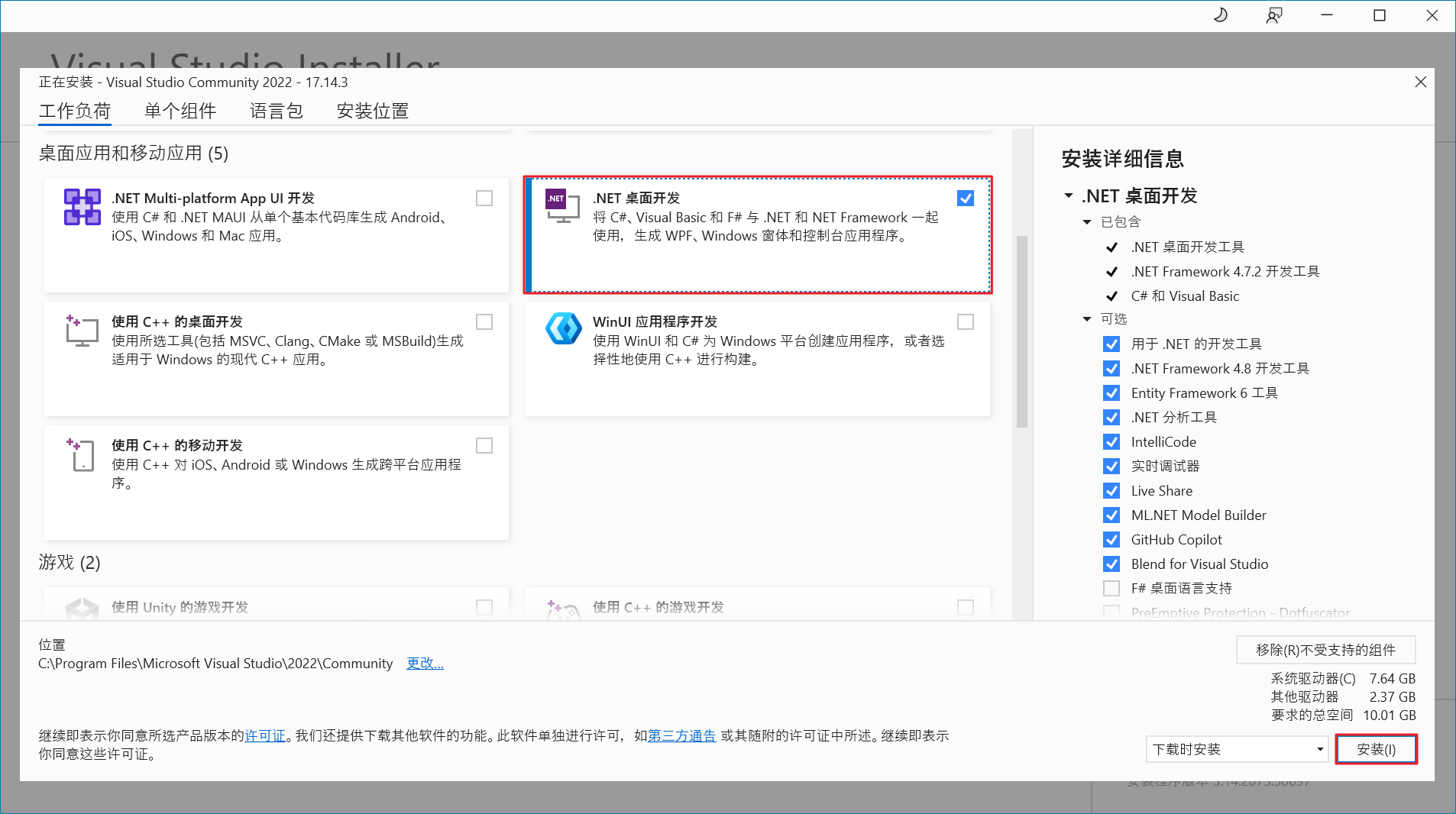
Visual Studio 安装
安装依赖2———USB 驱动(可选)
如需使用 USB 相机,需完成 USB 相机环境准备步骤。
编译
双击
VcameraSDK-X.X.X/csharp/net48/example路径下的VcameraExample.sln,启动工程。选择编译配置 “Release” 或 “Debug”,选择平台为 “x64”,点击 “生成” > “生成解决方案”。推荐使用 Release 配置进行编译。
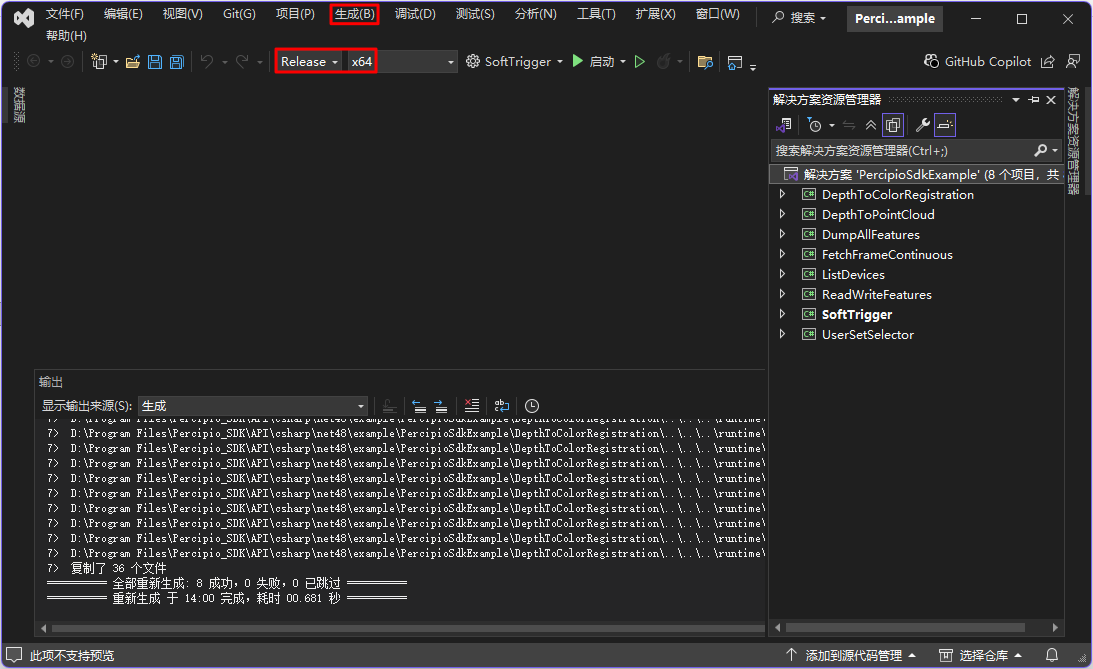
运行
根据编译配置(Release 或 Debug),进入对应
VcameraSDK-X.X.X/csharp/net48/example/SampleOut/x64/<编译配置>目录。打开终端,运行编译生成的可执行文件
.exe。