Create and Delete Step Connections
This section introduces how to create and delete connections between steps.
Create a Connection Between Steps
Hover the mouse over the output port of a step, hold down the left mouse button and drag it to the input port of the next step, then release the left mouse button to create the connection.
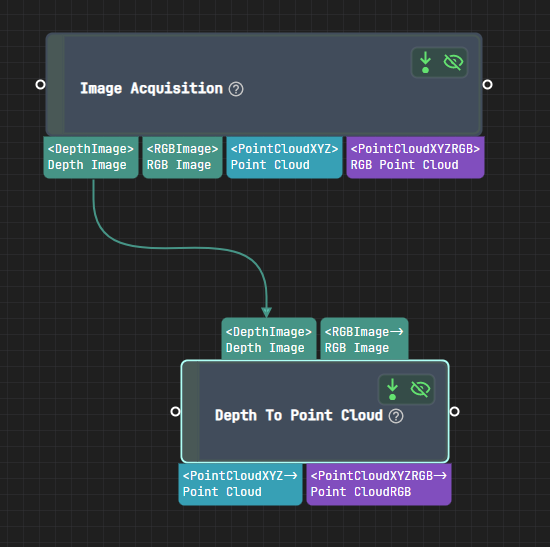
As shown in the figure below, connect the Depth Image output port of the Image Acquisition step to the Depth Image input port of the Depth to Point Cloud step:
Attention
When creating a connection, note that:
One output port can be connected to multiple input ports.
One input port can only be connected to one output port.
Connections can only be established between ports with the same data type. For example, a
<DepthImage>output port can only be connected to a<DepthImage>input port.
Delete Connections Between Steps
Click the connection you want to delete to select it, then press the Delete key on the keyboard to delete it.