Pose Transformation
Function Description
This step can transform poses from one coordinate system to another, or perform position transformation within its own coordinate system based on a reference pose.
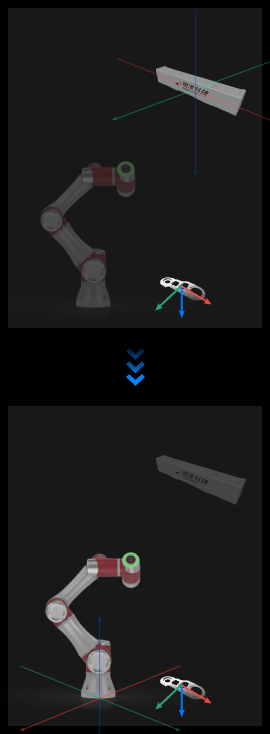
Use Cases
This step is typically used to transform poses between the camera and robot coordinate systems.
Inputs
Original Poses (Required): Original poses to be transformed.
Reference Poses (Optional): When the step parameter “Transformation Type” is set to AllWithFirst/FirstWithAll/OneWithOne, reference poses need to be input.
Outputs
Transformed Poses: Poses after transformation.
Parameters
Visualization Settings
Display Point Cloud in Selected Coordinate System
Value list: Robot Coordinate System, Camera Coordinate System
When debug output is enabled, poses will be displayed in the selected coordinate system.
Transformation Settings
Transformation Type
Set the transformation method for poses.
CameraToRobot Transforms original poses from camera coordinate system to robot coordinate system. The corresponding hand-eye calibration file needs to be selected in the “Image Acquisition” step.
RobotToCamera Transforms original poses from robot coordinate system to camera coordinate system. The corresponding hand-eye calibration file needs to be selected in the “Image Acquisition” step.
AllWithFirst Transforms all original poses to the coordinate system of the first reference pose. “Reference Poses” need to be input.
FirstWithAll Transforms the first original pose to the coordinate systems of all reference poses respectively. “Reference Poses” need to be input.
OneWithOne One-to-one transformation
Transforms the nth original pose to the coordinate system of the nth reference pose. “Reference Poses” need to be input, and the number of input poses must equal the number of reference poses.