Select Scene Point Cloud
All point clouds captured within the camera’s field of view are called scene point clouds. You can set the scene point cloud as the reference for ROI configuration as follows:
Click the Project Assistant tab in the project configuration pane at the lower right corner of the home screen, then click
 to open the Reference scene point cloud tab.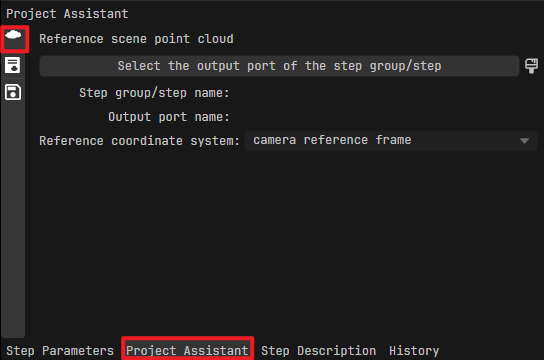
Click Select the output port of the step group/step.
In the pop-up window, select the step that outputs the scene point cloud and its output port, then click
Confirm.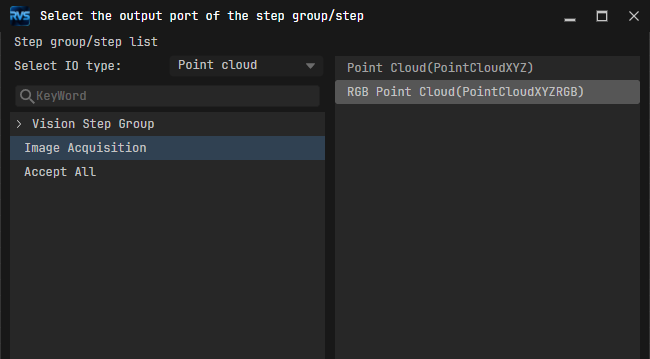
(Optional) After selecting the scene point cloud, set the Reference coordinate system as needed:
Camera reference frame
Robot reference frame