Project Programming Workspace
The project programming workspace is the core area where you build vision workflows and debug a project.
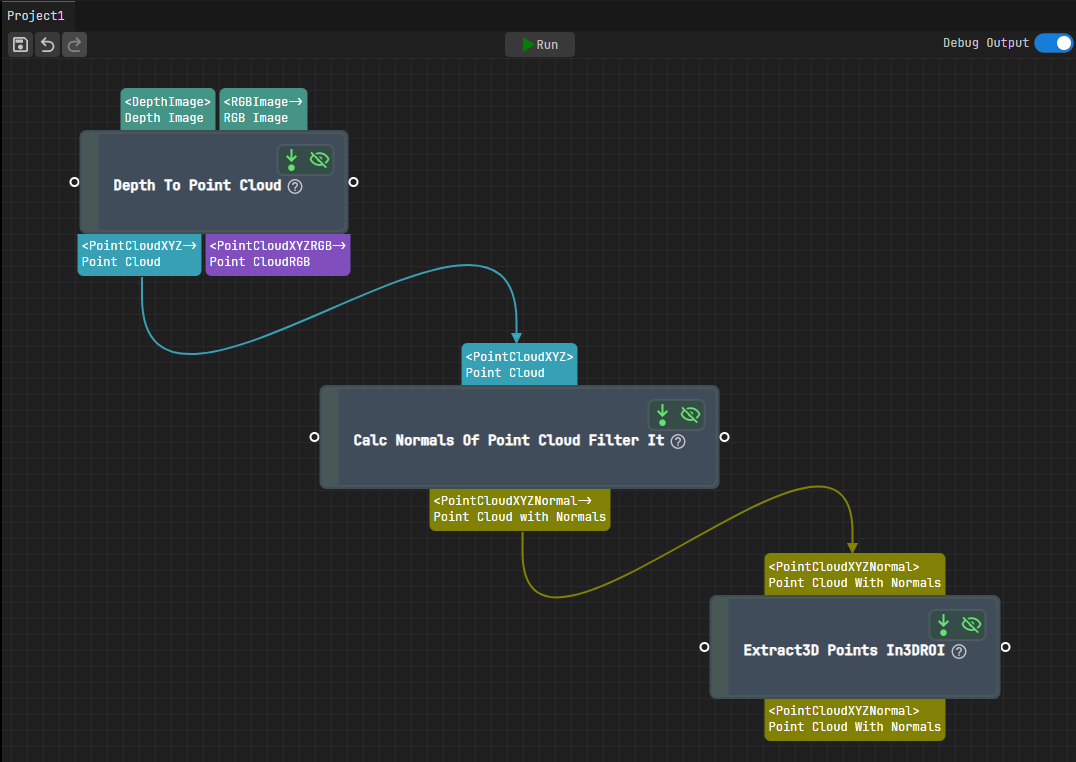
The workspace consists of the following parts:
Project Name: Displays the name of the current project.
Project Toolbar: Provides common operations for running and debugging the project.
Function
Description

Save the current project.

Undo the last operation.

Redo the last undone operation.
RunRun the current project once.
Debug OutputWhen enabled, displays debug information for each Step in the Debug Output pane on the upper right.
Workflow Canvas
This is the visual workspace where you can drag steps from the Step Library and connect them to create a complete project workflow.
Configure Step Port Display
Right-click the blank area of the workflow canvas or any step input/output port to open the context menu and configure how you want the step port information to be displayed.
Option
Description
Display Type and Name When checked, step input/output ports display both the port name and data type.
Only display Name
When checked, step input/output ports display only the port name.
Only display Type
When checked, step input/output ports display only the data type.