Log
The log pane at the bottom of the software’s home screen displays various types of log information generated during system operation. It provides log management features including Search, Filter, Clear, and Export.
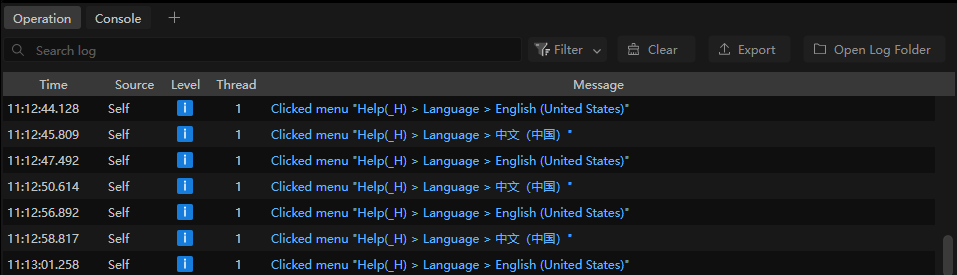
RVS 2.0 includes the following two types of logs:
Operation Logs: The user operations recorded in the software, including opening solutions, running projects, and modifying step parameters.
Console Logs: The control information related to the vision project, including the final vision output tool poses and status codes.
You can click the Operation or Console tab in the log pane to switch views as needed.
You can also click the icon  to add additional console tabs (up to 4).
When encountering issues with the software, you can check the console and operation logs. You can also export the logs and send them to technical support for troubleshooting.
Note
The default log retention period is 7 days. To customize the setting, select Option > General from the menu bar and adjust it under Log settings. The maximum is 99 days.
Log Level
The log levels are as follows:
Log Level |
Description |
|---|---|
D |
Debug information. Used for development and troubleshooting. |
i |
Information. Records normal system operations. |
W |
Warning information. Indicates possible abnormal conditions. |
E |
Error information. Indicates operation failures or abnormal functions. |
F |
Fatal error. May cause the system to be unable to operate normally. |